




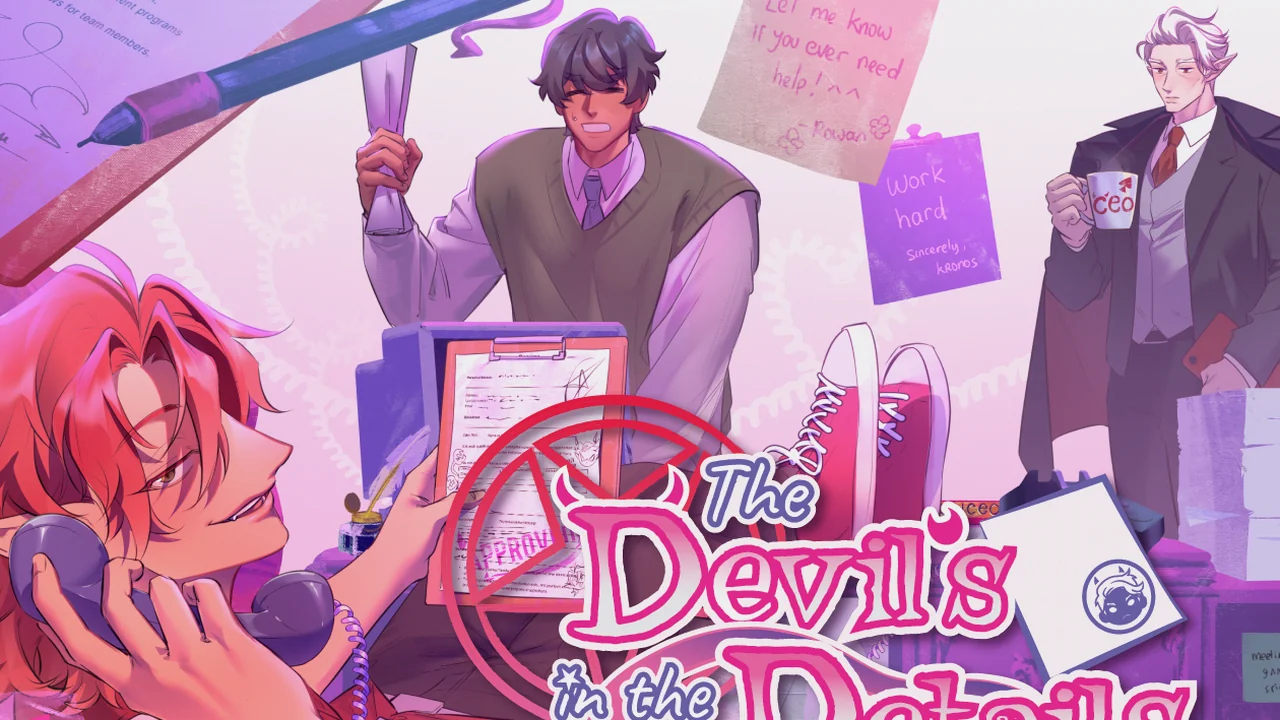
The Devil's in the Details
- Developer
- It'sBumbleBear
- Genre
- Otome, Romance, Dating Sim
- Engine
- Ren'Py
- Length
- Two workdays + a Halloween date
- Endings
- 3 date endings with CGs · paperwork failure can be retried
- Status
- Released · version 1.0 · Spooktober jam game
Download The Devil's in the Details
What Happens When You Press Play in The Devil's in the Details?
Play The Devil's in the Details when you want a short romance visual novel game with workplace banter and one quick timed challenge. A bad bet has landed you at Imperative Solutions, an Underworld contracting company, just before your favorite holiday. Give your new hire a name and pronouns, reply to office messages, and ask the boss how you can still get out for Halloween. The Devil's in the Details follows two workdays before you sort a stack of contracts in 30 seconds. Finish in time, then choose a party with Cecil, a cozy evening with Rowan, or a snowy walk with Kronos. You can enjoy the flirting without planning every earlier reply around a hidden romance score.
The Devil's in the Details: Chat, Work, Then Choose a Date
What Will You Do in The Devil's in the Details?
Start The Devil's in the Details for the conversations, then decide whose company you want after work. Most of your time goes into reading, picking replies, and discovering how these coworkers act around a newcomer.
- Choose Start for the story, Load to resume, or Gallery to browse the date illustrations. The Devil's in the Details has one story opening; you choose your date after the paperwork.
- Explore the desk when it becomes interactive. Click objects for a quick comment, then click the glowing workstation marked Work chat to continue.
- In Imperative Solutions Messenger, select a reply and press Send. Watch for the selection to turn pink, then read how the group answers.
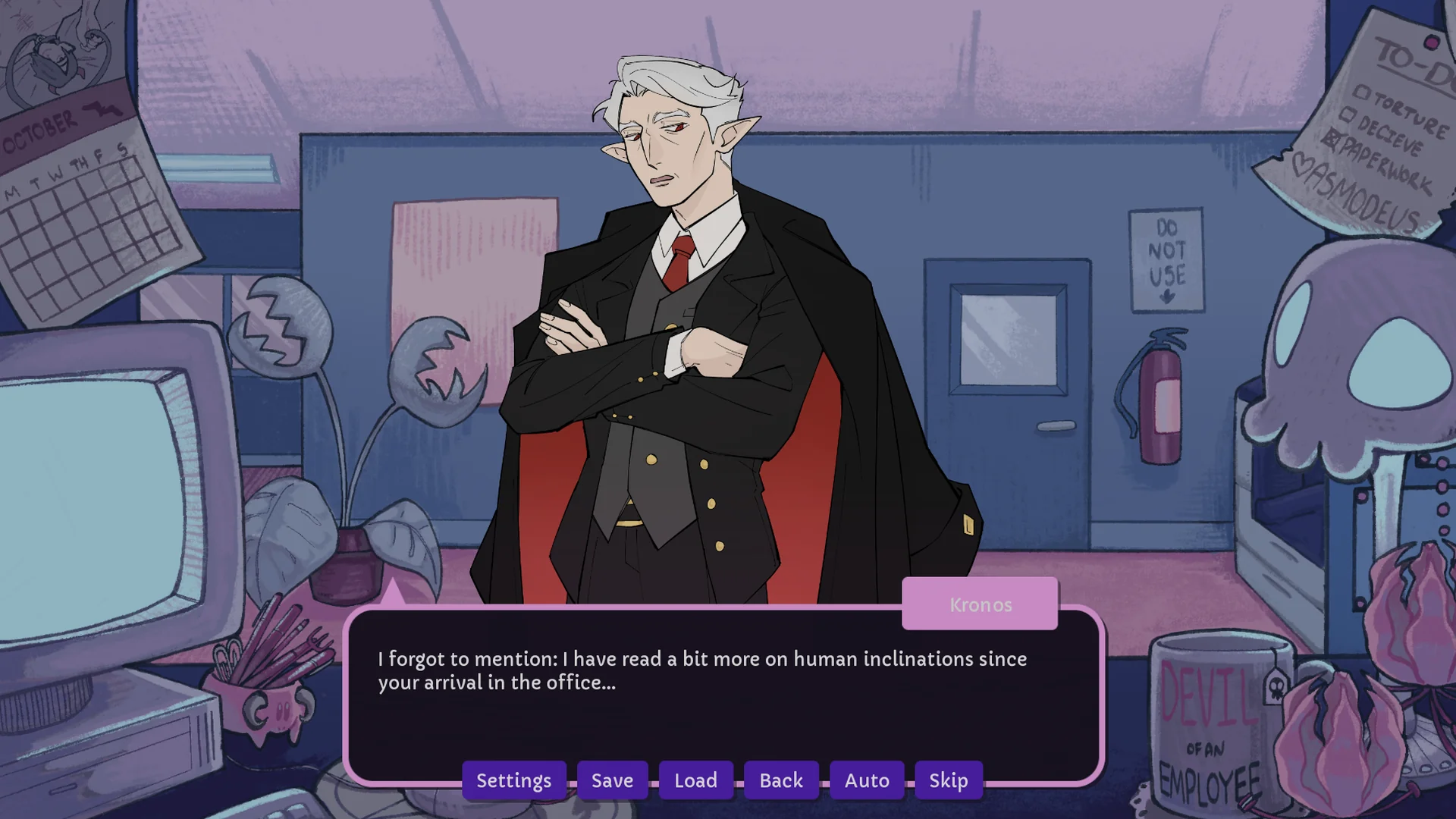
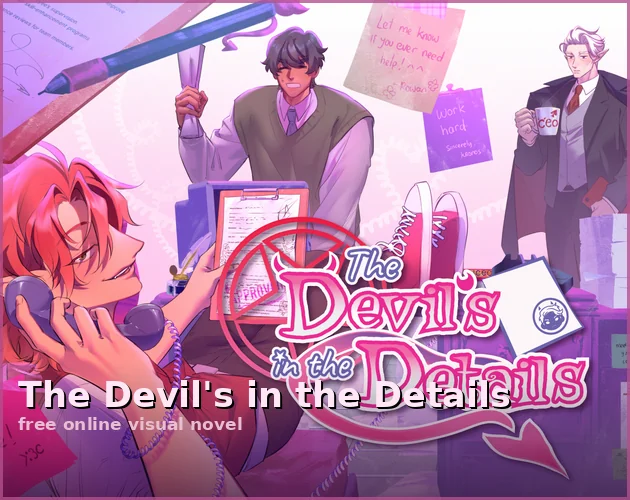
- Meet Cecil, a devil contractor; Rowan, a fellow human and contracting consultant; and Kronos, the devil CEO. Read their teasing, help, and awkward invitations before deciding who appeals to you.
- On the second morning, click the small sticky note to read a coworker's message, then click the enlarged note to close it and continue.
- Clear the timed contract stack to reach the three date choices. Earlier flirting changes the conversation without locking you out of another partner in The Devil's in the Details.
How To Play The Devil's in the Details?
Press Play Now to load The Devil's in the Details, then choose Start. Write your name on the badge, select he/him, they/them, or she/her, and press Continue. The current browser game plays in English.
- Click or tap to advance dialogue. On desktop, use Settings, Save, Load, Back, Auto, and Skip from the dialogue bar. On touch screens, open Menu for save and settings options.
- When the office waits for you, click the glowing workstation to open Work chat. When a chat reply is waiting, choose it and press Send; selecting the text alone does not submit it.
- Before the paper-sorting challenge, read the instructions before pressing I'm ready, let's go! You have 30 seconds once the challenge starts.
- Look for the approval stamp. Send stamped contracts left into APPROVED with Left Arrow or A; send unstamped contracts right into DENIED with Right Arrow or D. You can also drag each sheet toward its tray.
- Watch the clock and the stack. A flashing X means a sorting mistake and costs 2 seconds. Clear every remaining sheet before Time's up; you do not need a perfect run. Choose Try again if you run out of time.
- After success, keep a save at the three portraits before selecting your date. Reload that save to see the other The Devil's in the Details endings without repeating both workdays.
- Use Settings for text speed, auto-forward timing, and audio. Play sideways on a phone and use Fullscreen for more reading room. The browser player's corner menu has Export Saves and Import Saves for backups.
Who Should You Date in The Devil's in the Details?
Get to know all three coworkers during The Devil's in the Details. You can joke with one person and still choose someone else when the date portraits appear.

Independent Contractor · Devil
Cecil
Trade teasing replies with the red-haired contractor who calls you sweetheart and keeps winding Rowan up. Cecil acts impossibly confident, but his seven cats and easily flustered side give you more to work with. Pick him when you want bold flirting and a loud Halloween party.

Contracting Consultant · Human
Rowan
Get help from another human who signed a contract to work in the Underworld. Rowan welcomes you, explains the paperwork, and tries to keep Cecil in check. Follow his gentler conversation if baking, scary movies, and an evening at home sound better than a crowded dance floor.

Imperative Solutions CEO · Devil
Kronos
Ask the stern boss for Halloween leave and watch his formal replies soften. Kronos has memories of celebrating with his brother and more curiosity about human traditions than his office manner suggests. Choose him for awkward warmth, a snowy walk, and a glimpse of his life before becoming CEO.
Need a Route Map for The Devil's in the Details?
Follow two workdays, finish the sorting challenge, then choose your evening. Open the guide for the order of events and a look at each The Devil's in the Details date ending.
Open The Devil's in the Details route & date guideBeat the paper-sorting timer and see how each Halloween date ends.
Your Two Workdays in The Devil's in the Details
- Day 1 · Settle in and ask for Halloween leave
Fill in your badge, open Work chat, and meet the team. Follow the desk conversations and group replies through your request to Kronos. These exchanges let you choose your tone without shutting off a date later.
- Day 2 · Read the note and finish your work
Open and close the sticky note, follow the supply errand and coworker visits, then tackle the contracts. The note can come from any of the three coworkers; it does not choose your romance route.
- Paper sorting · Empty the stack before the clock runs out
Use A or Left Arrow for stamped papers; D or Right Arrow for unstamped papers. Dragging works too. You have 30 seconds, with a 2-second penalty for each mistake. Finish the stack to continue; a perfect score is not required.
Time's up!
You miss the Halloween outing. Choose Try again to return to just before the challenge, or Return to title screen to start over.
The work is done!
Reach the three partner portraits. Open the game menu and save before choosing so you can return here for the other dates.
Choose Your The Devil's in the Details Ending

A Halloween party with Cecil
Select Cecil's left-hand portrait after finishing the paperwork. Meet him at a house party, trade costume jokes, and answer his dance-floor challenge. Your replies change the teasing along the way; each choice continues to his party ending.

Cookies and scary movies with Rowan
Select Rowan's middle portrait for a night at home. Decorate pumpkin cookies while scary movies play, hear about his grandmother's recipe, and take turns answering trick-or-treaters. The baking happens through dialogue choices, so you can settle into the conversation after the timed paperwork.

A snowy Halloween walk with Kronos
Select Kronos's right-hand portrait to head outside together. A slip on the ice breaks the tension, his old door-to-door job comes up, and Halloween turns into making snow pumpkins. Tease his serious manner or point out his smile; both replies keep the date going.
Want another The Devil's in the Details ending? Load your partner-choice save and select another portrait. Each date leads to its own ending even if you answer its dialogue differently. Gallery on the title menu lets you browse all three sets of date illustrations without finishing every route.
Is The Devil's in the Details Worth Playing?
- Try The Devil's in the Details if you enjoy chat-based romance, sarcastic office humor, and picking the date you want without calculating affection points.
- Choose The Devil's in the Details for three different Halloween moods: confident party flirting, gentle baking at home, or a serious boss loosening up outside work.
- Expect a compact visual novel game with two workdays and a short date ending. Save at the partner choice if comparing all three evenings is what will make the visit worthwhile.
- Pick another game if you want a long relationship simulator, exploration levels, or sustained horror. The Devil's in the Details focuses on reading and comedy, with a mandatory timed sorting challenge.
- Check your comfort with swearing, drinking, and suggestive jokes before starting. The Devil's in the Details keeps its Underworld setting playful, but the banter is not written for a squeaky-clean office.
Your First The Devil's in the Details Goal: Make It to Halloween
Start The Devil's in the Details, finish your badge, and follow the glowing workstation into the first group chat. Choose replies you actually want to say; you can decide on a partner after getting to know everyone.
When the paperwork arrives, remember stamped left and unstamped right. Clear the stack, save at the date choice, and spend Halloween with your favorite coworker. Return to that save when you want another The Devil's in the Details evening.
The Devil's in the Details FAQ
Where can I play The Devil's in the Details online for free?
Press Play Now on this page to play The Devil's in the Details free in your browser. Choose Start for a new story or Load for saved progress. This visual novel game does not require an account for browser play.
How do I choose a route in The Devil's in the Details?
Finish the paper-sorting challenge in The Devil's in the Details, then select one of the three portraits: Cecil on the left, Rowan in the middle, or Kronos on the right. Earlier dialogue does not lock these choices behind affection points. Save before choosing to replay the other dates.
How do I beat the paperwork in The Devil's in the Details?
In The Devil's in the Details, send stamped papers left into APPROVED and unstamped papers right into DENIED. Use Left/Right Arrow, A/D, or drag the paper. Empty the stack within 30 seconds; each error costs 2 seconds. A few mistakes are allowed if you still finish before the clock runs out.
What happens if I fail in The Devil's in the Details?
Running out of sorting time in The Devil's in the Details means you miss Halloween that year. Choose Try again to return to the save immediately before the paperwork, or Return to title screen to restart. You can retry instead of replaying the whole opening.
Why is the chat waiting in The Devil's in the Details?
When replies appear in The Devil's in the Details, select one so it turns pink, then press Send. If you are looking at the desk instead, click the glowing workstation marked Work chat. On the second morning, open and close the sticky note to continue.
Are all three love interests devils in The Devil's in the Details?
No. In The Devil's in the Details, Cecil and Kronos are devils, while Rowan is a human who signed a work contract with the Underworld company. You also play a human new hire. Pick Cecil for party banter, Rowan for a quieter night, or Kronos for a snowy Halloween outing.
How many endings does The Devil's in the Details have?
The Devil's in the Details has three date endings with CG illustrations, one for each partner, plus the retryable paperwork-failure outcome. Date dialogue choices vary the exchanges while continuing to that partner's ending. Open Gallery from the title menu if you want to browse the date art; it is available without completing every route.
Can I change my name, pronouns, or language in The Devil's in the Details?
At the start of The Devil's in the Details, enter a name using up to 15 English letters and choose he/him, they/them, or she/her on the badge. The current browser game's Settings offers English; Spanish is not selectable yet.
Is The Devil's in the Details a horror game or a romance visual novel?
Choose The Devil's in the Details for a comedy romance visual novel game about an Underworld office. Expect mild swearing, alcohol consumption, and suggestive commentary or jokes. The main challenge is timed paper sorting, and the rest centers on dialogue, flirting, and Halloween plans.
Where can I download The Devil's in the Details?
Use Download The Devil's in the Details on this page for Windows, macOS, and Linux builds. Use Export Saves in the browser player's corner menu to back up browser progress; saves do not transfer to a downloaded copy automatically.
More Otome Games
- A Date with Death — Play A Date with Death online free. A chat-sim romance visual novel — make a week-long bet with the Grim Reaper for your soul, and maybe lose your heart.
- ERROR143 — Play ERROR143 online free. A fully voiced rivals-to-lovers hacking visual novel — trade hacks with your smug rival, with three endings including a proposal.
- CreepyDates CHAPTER 4 — Play CreepyDates CHAPTER 4 free online in your browser. Continue your save, explore Ben's room, follow affection, and get chapter unlock and download help.
- Dating Killmulator — Play Dating Killmulator online free. A dark comedy dating sim — a serial killer, a popular guy and a psychologist, with minigames and 8–9 hours of routes.
- Dating Killmulator 2 — Play Dating Killmulator 2 online free. The comedy dating sim sequel picks up mid-chaos — new twists, romance scenes, and serial killers still to survive.
- Bloody Painter Dating Sim — Play Bloody Painter Dating Sim online free. Captured by a killer, survive seven days and change how he sees you — fully voiced, 14 CGs and 10 endings.
- Bound By Insanity — Discover Bound By Insanity, LenaXiaoS's psychological horror otome visual novel. Meet Miles and Adrien, then download the demo from the official itch.io page.
- ClownTastic Romance — Play ClownTastic Romance free online in your browser. Court Nikolai the magician clown, clear baking and bandage minigames, and chase all six endings.