



BEN's Playground
- Developer
- IJustWannaHaveFunn
- Genre
- Horror
- Engine
- RPG Maker MV
- Length
- Around 20–30 minutes
- Endings
- 8 endings · 4 normal + 4 secret
- Status
- Released
© Visual Novel Games and respective rights holders. All rights reserved. Image usage · Permission requests
About BEN's Playground
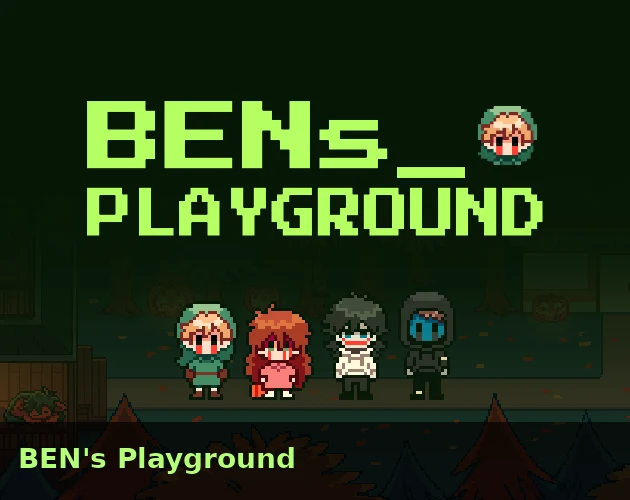
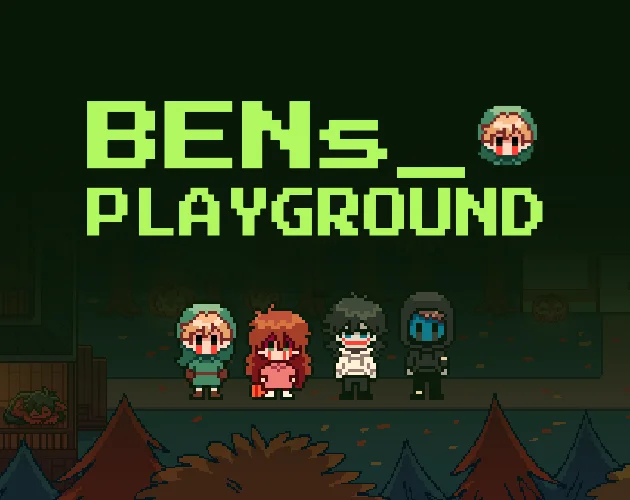
Play BEN's Playground free online when you want a short Halloween mystery with places to explore and choices to test. Start a new game, enter the access code, and leave BEN's room to find Sally, Jeff, and EJ in Samhain. Follow their errands, check the store and nearby houses, and watch for conversations that change after the town resets. Pet the red dog to save before trying the room's computer. Set aside around 20–30 minutes for BEN's Playground, then reload an earlier save when you want to chase a different ending. There are eight to find, including four secret endings.
Explore BEN's Playground Before Your First Ending
What Can You Actually Do in BEN's Playground?
Your first BEN's Playground goal is simple: leave the room, save at the dog, and follow one conversation until the town changes. After that, use what you notice to decide when to return to the computer.
- Explore BEN's Playground by clicking along the street, entering the store, and checking which house doors have opened.
- Follow Sally's Halloween errands, Jeff's store visit, and EJ's dinner invitation. Talk again after a reset to see who remembers what happened.
- Use the computer in BEN's room when you want to push toward an ending. Its password is different from the code you use to enter BEN's Playground.
- Pet the red dog and choose a save slot before a risky decision. Use Load from the menu to try another outcome from that point.
- Look for the USB once the town changes after EJ's chapter. It gives you a choice about who to take out of BEN's Playground.
How To Play BEN's Playground?
Press Play Now to load BEN's Playground. Choose New Game for your first visit or Continue to resume a save. If the opening code stops you, open the ending guide below for the answer.
- Click or tap a destination to walk, or use the arrow keys. Use Enter, Z, or a click to confirm dialogue and interact.
- Press Escape or X, right-click, or tap with two fingers to open or cancel menus. The menu offers Options, Load, and Game End; save by petting the porch dog.
- Save before using the room's computer. When BEN's Playground warns that there is no going back, keep that earlier slot so you can return to town.
- During EJ's chase, move away and look for a doorway. During the final window challenge, click the X buttons before the countdown ends. If you trigger the emergency purge, wait for the ending and reload to try again.
- On phones, turn BEN's Playground to landscape and use Fullscreen for more space to read dialogue and tap the window buttons.
- Write down any code shown with an ending. If its character bonus page does not open, check the browser's blocked-pop-up notice.
- Give BEN's Playground time to load before starting over. If the browser version stays slow or runs into bugs, use Download BEN's Playground for Windows. Keep in mind that browser saves do not transfer automatically.
Who Should You Follow in BEN's Playground?
Start with the character who has something new to say. In BEN's Playground, an errand can take you into a house, back to the store, or into a chase. Revisit the street after a reset and see whose conversation has changed.

Sally
Sally WilliamsJoin Sally's trick-or-treating trip. Follow her between houses and check what the next conversation asks you to do.
Jeff
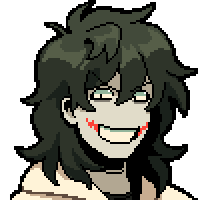
Jeffrey WoodsTalk to Jeff and follow him to the store. Pay attention when a familiar conversation starts going wrong.
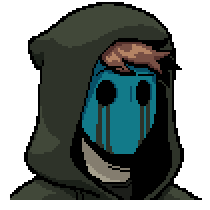
EJ
Eyeless JackAccept EJ's dinner invitation and stop at the store. Be ready to move when his hunger turns into a chase.
BEN's Playground Endings: Pick Your Next Route
Want to let everyone out, take one character with you, or stop B3N? Keep a town save, then choose a BEN's Playground route below. Open the guide when you are ready for passwords and all eight ending conditions.
Reveal the ending guideStory spoilers
Which BEN's Playground Code Do You Need?
- Opening access code
- 1031Enter before arriving in BEN's room. A wrong code exits the game.
- Room computer password
- 2514When you enter it matters. Three wrong attempts trigger Ending 7.
Follow the BEN's Playground Route Map
Use the computer early
Enter 2514 before the town chapters are complete.
Ending 6Finish the town chapters
Follow Sally, Jeff, and EJ's sequences. After EJ's reset, look beside the "Danger! Do Not Cross!" sign for the optional USB.
Return to the computer → Enter 2514 → Read all six documents → Use it again.
Fail the computer password
Enter a wrong password three times, then watch the emergency purge finish.
Ending 7How to Get Each BEN's Playground Ending
Pick an outcome, follow its steps, and watch for the ending name. For a character extraction, collect the USB before returning to the computer and finish the window challenge after choosing who to save.
Happy Halloween, World
After the town chapters, unlock the computer, read all six documents, then interact with it again and choose OVERRIDE_EXPORT_ALL.
The network gate opens and all five AI entities, including Pixie, are exported.
Cyber Guardian
Choose OVERRIDE_SELF_DESTRUCT without selecting a USB extraction target. Close all eight in-game windows with their X buttons before the ten-second timer expires.
The system completes self-destruction and deletes the AI entities.
Pocket Sized Hazard
Collect the USB after EJ's chapter. Choose OVERRIDE_SELF_DESTRUCT, agree to plug in the USB, select Jeff, and close all eight windows before time runs out.
Jeff is extracted to the USB before the system is destroyed.
Keep the ending code for your character bonusOut of the Playground
Collect the USB after EJ's chapter. Choose OVERRIDE_SELF_DESTRUCT, agree to plug in the USB, select Sally, and close all eight windows before time runs out.
Sally is extracted to the USB before the system is destroyed.
Keep the ending code for your character bonusBlack Hole in a Drive
Collect the USB after EJ's chapter. Choose OVERRIDE_SELF_DESTRUCT, agree to plug in the USB, select Jack, and close all eight windows before time runs out.
Jack is extracted to the USB before the system is destroyed.
Keep the ending code for your character bonusYou Shouldn't Have Done That
Enter the room computer's correct password, 2514, before completing the town chapters. This triggers the early B3N sequence instead of the research documents.
B3N absorbs the other three AI characters.
Keep the ending code for your character bonusThe Accidental Savior
Enter an incorrect password at the room's computer three times. This is separate from the opening access-code prompt.
The emergency system purge deletes the four central AI entities.
Escaped again
Start OVERRIDE_SELF_DESTRUCT, then leave at least one of the eight in-game windows open until the ten-second timer expires. This also overrides any USB extraction selection.
B3N's upload succeeds and PROJECT_SAMHAIN escapes the system.
Try another BEN's Playground ending from your town save. Change one computer choice at a time so you can see what it does. If a character bonus page does not open, keep the ending code and check for a blocked browser pop-up.
Is BEN's Playground Worth Your Next Session?
- Choose BEN's Playground if you like Creepypasta characters, pixel-art Halloween streets, and friendly conversations that turn unsettling.
- Give BEN's Playground a try when you have around 20–30 minutes and enjoy checking a familiar place again after something changes.
- Come back to BEN's Playground if collecting endings is your thing. An earlier save lets you compare exporting everyone, saving one character, or shutting the system down.
- Expect walking, errands, a chase, and fast clicking alongside the dialogue. If you want uninterrupted reading or a romance-focused dating sim, BEN's Playground may not fit your session.
- Check your comfort with flashing lights, blood and slight gore, swearing, character death, and graphic depictions of violence before starting BEN's Playground.
Your First BEN's Playground Goal: Save, Explore, Then Choose
Press Play Now, enter BEN's Playground, and pet the dog before following the town's conversations. Check the store, follow the errands, and revisit the street after each reset. You will have more to work with when you return to BEN's room.
Once you reach a BEN's Playground ending, load your town save and change one decision at the computer. Want a particular character's ending? Open the route map, collect the USB, and keep a slot before the final command.
BEN's Playground FAQ
Where can I play BEN's Playground online for free?
You can play BEN's Playground online for free right here on Visual-Novel.io. Press Play Now at the top of this page to open this visual novel in your browser. No account is required for the web version.
How many endings does BEN's Playground have?
BEN's Playground has eight endings: four normal and four secret. Keep a save before the computer's final commands so you can try different outcomes. Open the ending guide for passwords, the USB location, and the route to each ending.
Who appears in BEN's Playground?
In BEN's Playground, you spend time with Sally, Jeff, and Eyeless Jack (EJ), while B3N looks after the program. Follow their conversations and check back after the town changes. You will also run into characters such as Jane, LJ, Nina, and Foolproof Pixie.
Is BEN's Playground a Ren'Py game?
BEN's Playground uses RPG Maker MV. Click or tap to walk, approach characters to talk, and use dialogue choices to continue. You can play BEN's Playground here without installing Ren'Py.
How do I save progress in BEN's Playground?
Pet the big red dog on the porch during normal town exploration, then choose a save slot. To load that BEN's Playground save, press Escape or tap with two fingers and choose Load. Save before the final computer sequence if you want to try another ending.
Does BEN's Playground have content warnings?
BEN's Playground contains flashing lights, slight blood and gore, swearing, character death, and graphic depictions of violence. Check those warnings before pressing Play Now, especially if flashing effects or violent scenes are hard limits for you.
Why did my BEN's Playground bonus page not open?
Some BEN's Playground endings open a character bonus page in a new tab. If yours does not appear, check the browser's blocked-pop-up notice and write down the code displayed with the ending. For the timed window challenge inside BEN's Playground, click the X buttons on the game screen.
Where can I download BEN's Playground?
Select Download BEN's Playground on this page to get the Windows version. Use it if you prefer desktop play or the browser version keeps running into trouble. Your browser saves will not automatically carry over to the downloaded copy.
More Horror Games
- The Freak Circus — Play The Freak Circus online free. A dark yandere romance visual novel — Pierrot and Harlequin compete for you while the Circus of Horrors is in town.
- 14 Days With You — Play 14 Days With You online free. A yandere romance horror visual novel — Ren keeps you safe in Corland Bay, or so it seems. Multiple endings every Day.
- Doki Doki Literature Club — Play Doki Doki Literature Club online free. Join the club and write poems for Sayori, Natsuki, Yuri and Monika — a dating sim that isn't what it seems.
- CreepyDates CHAPTER 4 — Play CreepyDates CHAPTER 4 free online in your browser. Continue your save, explore Ben's room, follow affection, and get chapter unlock and download help.
- Knee Deep — Play Knee Deep online free. A yandere dating sim at Pebblestone University — three love interests, creepy social media posts, and finals to survive.
- The False Sun — Play The False Sun online. Choose your responses, use save and load to try new paths, and uncover 20 endings in this 18+ horror romance visual novel.
- Fear Me: Jeff the Killer's Dating Sim — Play Fear Me: Jeff the Killer's Dating Sim online free. Survive a creepypasta killer's attention at your video store job — 9 endings, 40 CGs, satire included.
- How to Date an Entity — Play How to Date an Entity online free. A short horror dating sim — keep the Interest Meter up, survive a date with a tall entity, and find all 10 endings.