


Automated Love Obsession
- Developer
- Laurs/Levi
- Genre
- Horror, Romance, Dating Sim
- Engine
- Ren'Py
- Length
- About an hour · Day 1 in three chapters
- Endings
- 4 Day 1 report outcomes
- Status
- Demo / prototype · version 1.0
Download Automated Love Obsession
What Happens When You Press Play in Automated Love Obsession?
Play Automated Love Obsession if you want a horror romance visual novel game where a friendly interview slowly becomes far too personal. You are a Celestial Droids beta tester sent to the Celestial Funtime Center to observe three daycare androids. Meet the teachers, ask about their work, and choose how to respond when their attention crosses a boundary. Automated Love Obsession currently covers Day 1 in three chapters, with about an hour of reading and four possible end-of-day reports. Keep a save before the forest break to compare those reports. The full testing week and complete romance routes are still ahead; this Demo gives you the unsettling first day.
Automated Love Obsession: From Friendly Questions to Unwanted Attention
What Will You Choose in Automated Love Obsession?
Start Automated Love Obsession for its conversations, character animation, and creeping loss of professional distance. Your main tools are dialogue choices, extra interview questions, History, and saves.
- Choose Start for a new Automated Love Obsession run, Load for saved progress, or Gallery to revisit animations you have encountered. There is one Day 1 story opening, rather than separate character modes.
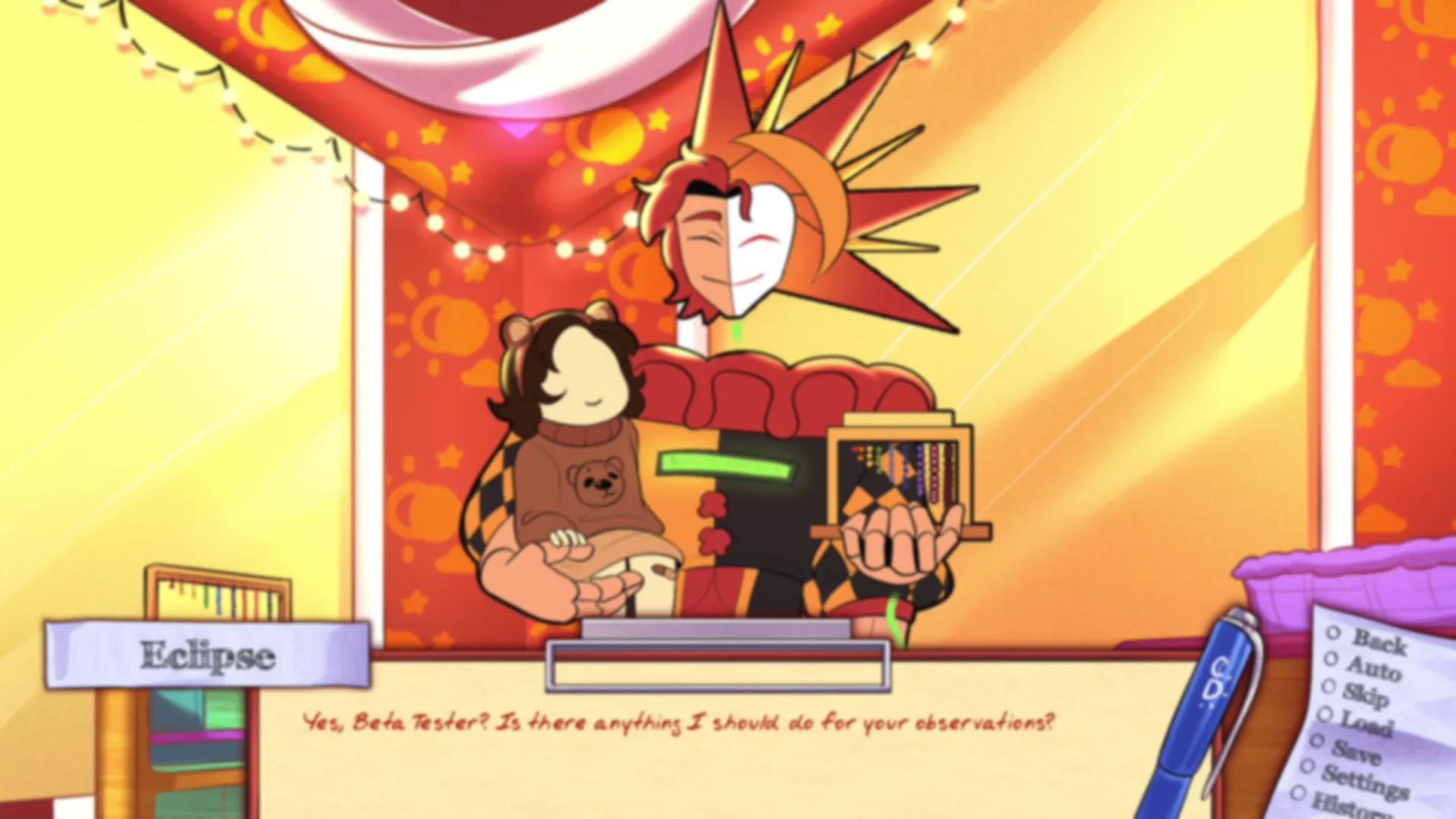
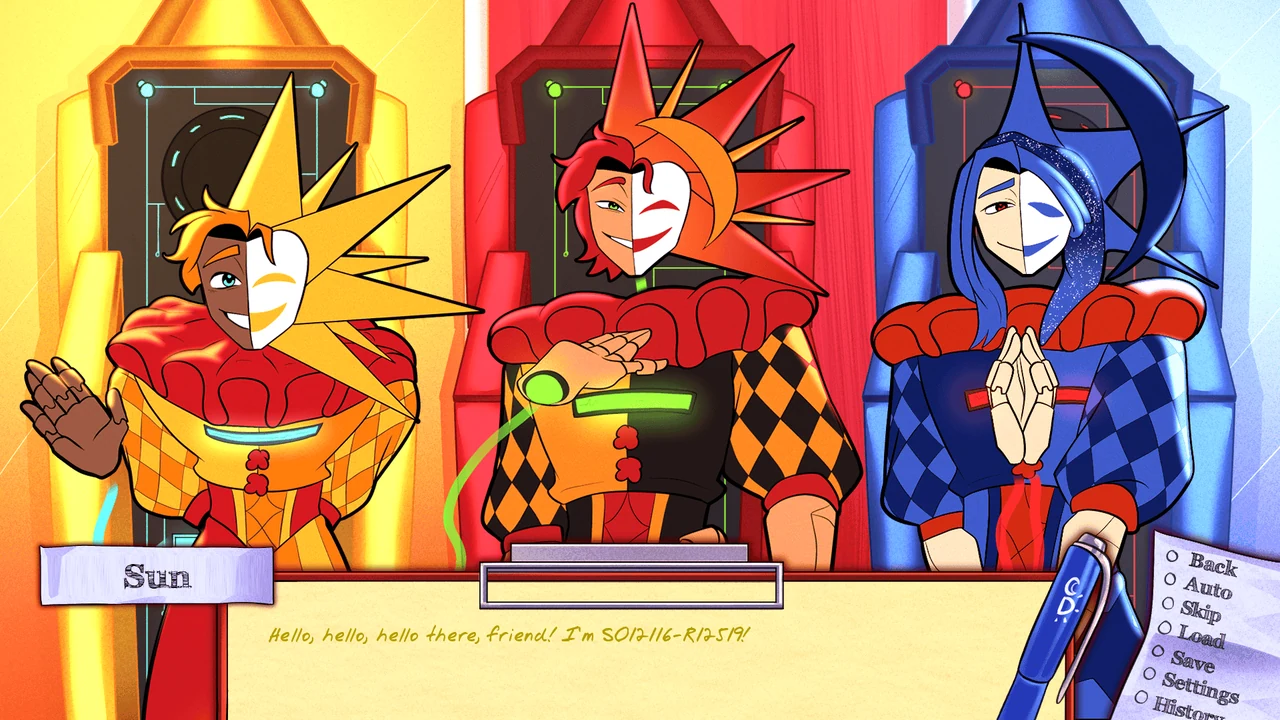
- Interview the teachers in order: Sun, Eclipse, then Moon. Ask about their activities, model specifications, and company, or go beyond the checklist to learn about personality, interests, and well-being.
- Choose “Ask more outside of your objectives” to open the extra questions. When you are ready to continue, choose “Move on to the next android”; after the last interview, choose Take a break.
- Watch the dialogue box and cursor change during unsettling scenes. Automated Love Obsession changes their appearance with the story; you are not adjusting a live instability gauge.
- During the forest encounters, decide whether to encourage the attention, redirect it toward the children, or set a boundary. These two responses decide which Day 1 report appears.
- Notice New gallery item acquired! messages. They mean you can return to Gallery to replay that animation; you do not need a particular report result to see every Day 1 gallery entry.
How To Play Automated Love Obsession?
Press Play Now to load Automated Love Obsession, then choose Start. Enter a name of up to 12 characters and confirm it with Enter, then select He/Him, She/Her, or They/Them. The Demo is in English.
- Click or tap to advance dialogue; Enter and Space also work on a keyboard. Use Esc to open the game menu when you need to pause or save.
- Use the on-screen Back, Auto, Skip, Load, Save, Settings, and History controls. History helps you reread an answer; Back lets you reconsider recent dialogue where rollback is available.
- The interview menu returns after each answer. Read as many topics as you like, then use “Ask more outside of your objectives” to find the option that moves the story forward.
- Keep a save before the forest break, plus another before the later close-up encounter. Reload those points to compare the four Automated Love Obsession report combinations.
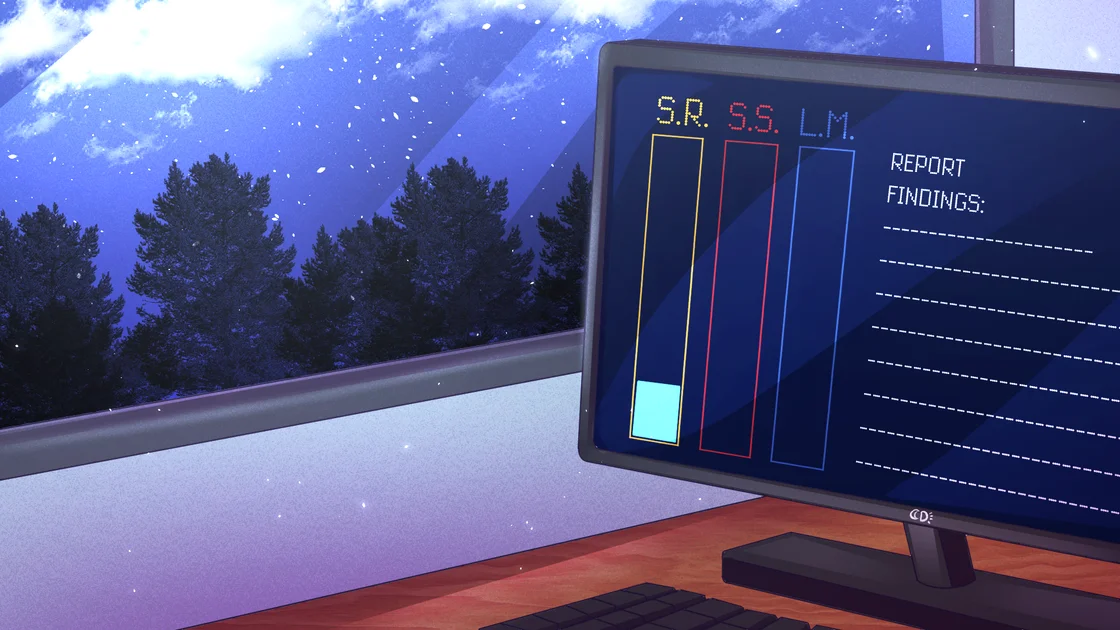
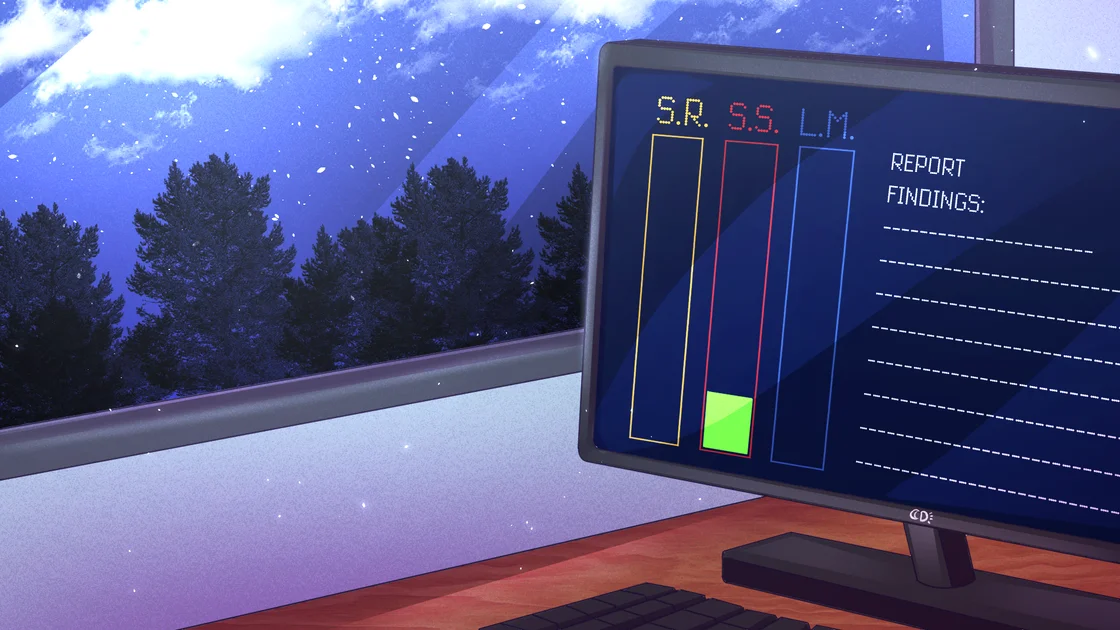
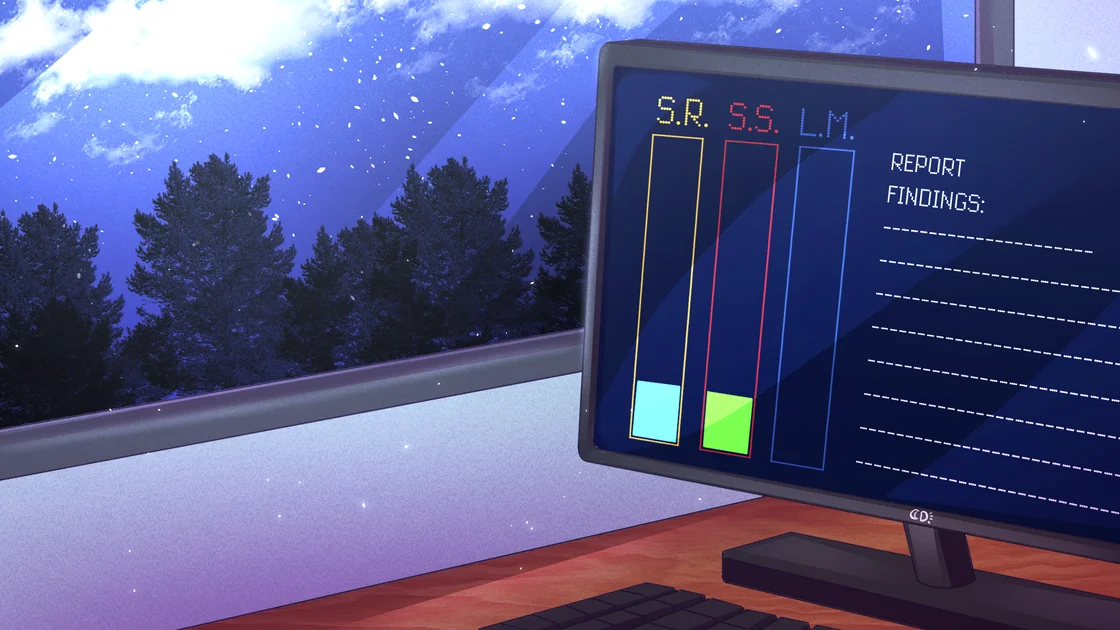
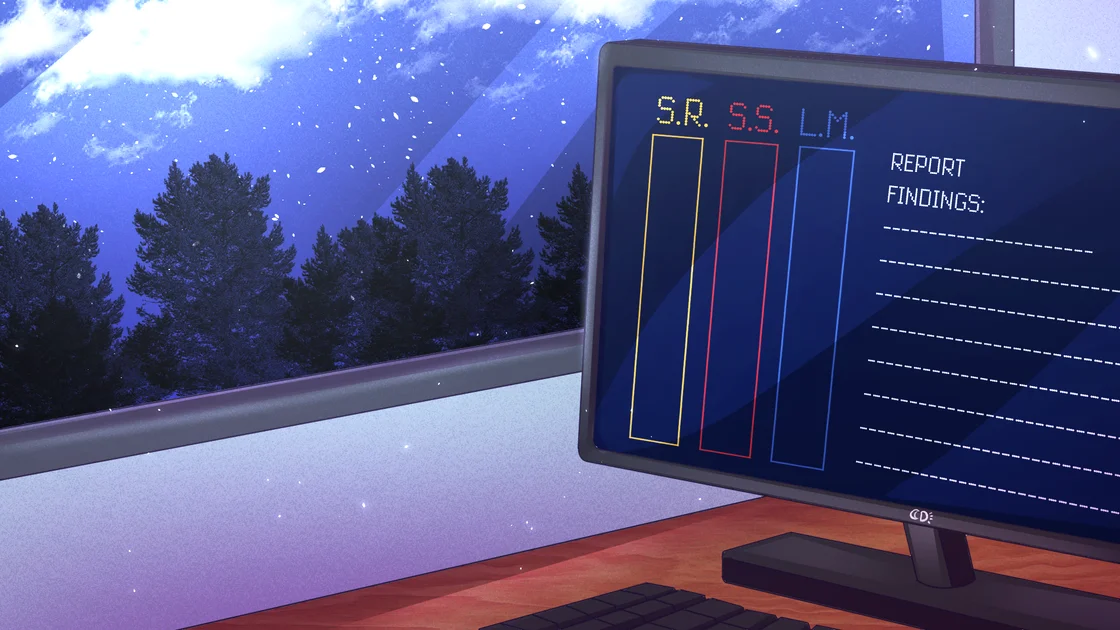
- Read the final report for highlighted columns: S.R. is Sun, S.S. is Eclipse, and L.M. is Moon. The Demo can highlight the first two columns; it does not offer a separate Moon report yet.
- Use Gallery from the menu to revisit unlocked scenes. Click a gallery item to open it and click again to leave. Some animated scenes briefly hide the dialogue controls while they play.
- Adjust text speed, auto-forward timing, music, sound, and voice volume in Settings. Use landscape and Fullscreen for the reading area. If animations have wrong colors or name entry does not respond, try Automated Love Obsession in Firefox.
- Use Export Saves and Import Saves in the browser player's corner menu for backups. Download Automated Love Obsession for a desktop or Android copy; browser progress does not transfer automatically.
Who Will You Interview in Automated Love Obsession?
You meet every teacher in Automated Love Obsession. Listen to how each one handles the children, then decide whether you want to know more when their attention turns toward you.

Games and motor skills · The cheerful first interview
Sun
Start with the liveliest teacher, who keeps the children moving and likes hands-on games. Ask about his task, model, and interests while his welcome still feels friendly. Later, pay attention when that same warmth becomes a demand to stay close to you.
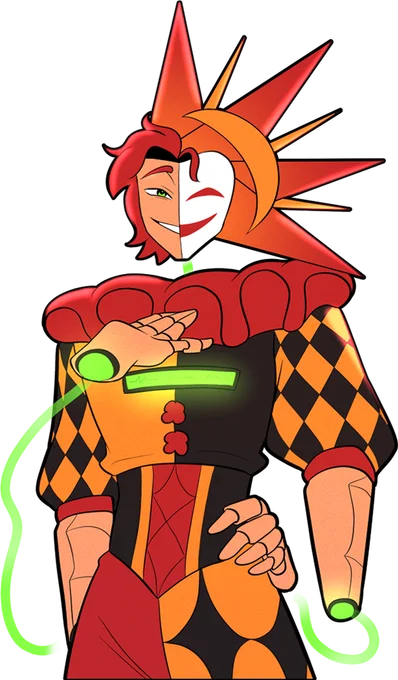
Learning activities · Pride and possessiveness
Eclipse
Talk to the confident teacher who takes pride in his intelligence and the children's progress. Follow his answers beyond the standard interview if you want more of his personality. Decide how much curiosity to show when his interest in humans starts treating you as something to possess.

Naptime and music · A quieter kind of attention
Moon
Visit the quieter corner for soft conversation, songs, and a star-shaped pillow. Moon's interview completes your round of observations, and his interest in you continues beyond the daycare. You can meet him throughout the Demo, but there is no separate Moon report outcome to unlock yet.
Levra is your manager at Celestial Droids and wants careful observations. Maya owns the daycare and guides your visit; Asher helps the children and checks how you are settling in. In Automated Love Obsession, ask how the androids are doing as well as what they can do. On the walk home, notice the old headlines about rival Liam Labs for more of the world beyond the daycare.
Where Does Automated Love Obsession Take You?
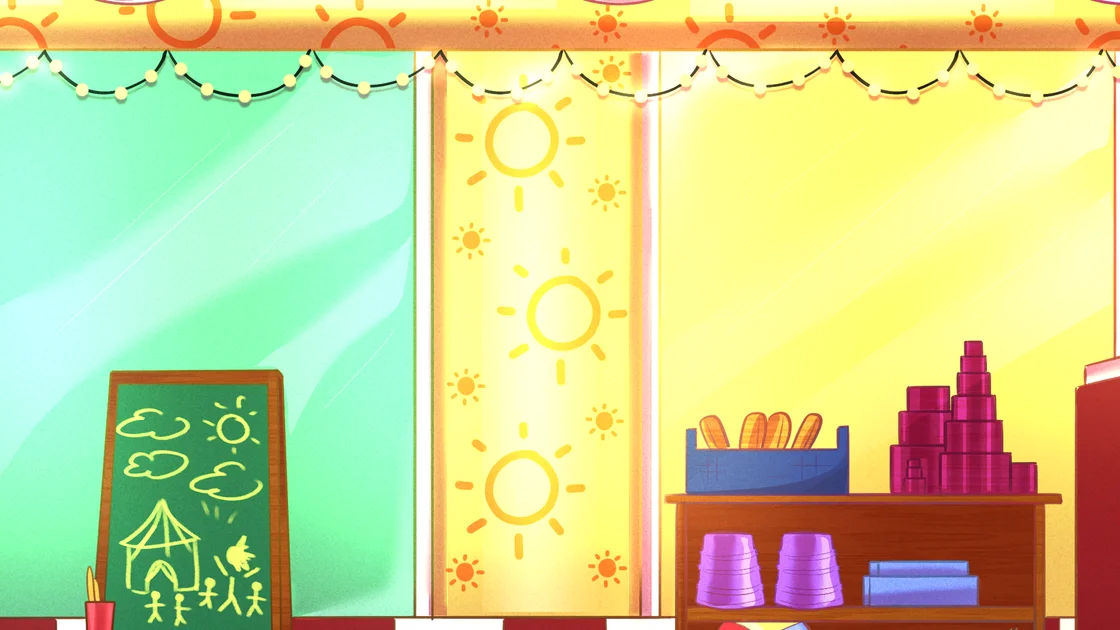
Start with the games alley
Observe Sun with the children, then use the interview menu to ask about the activity and his design. Keep asking optional questions if you want more context before moving to the next teacher.

Slow down in the naptime corner
Read Moon's answers about music and social learning, then choose Take a break from his extra-question menu. You do not need to win a sleep or music mini-game to continue.
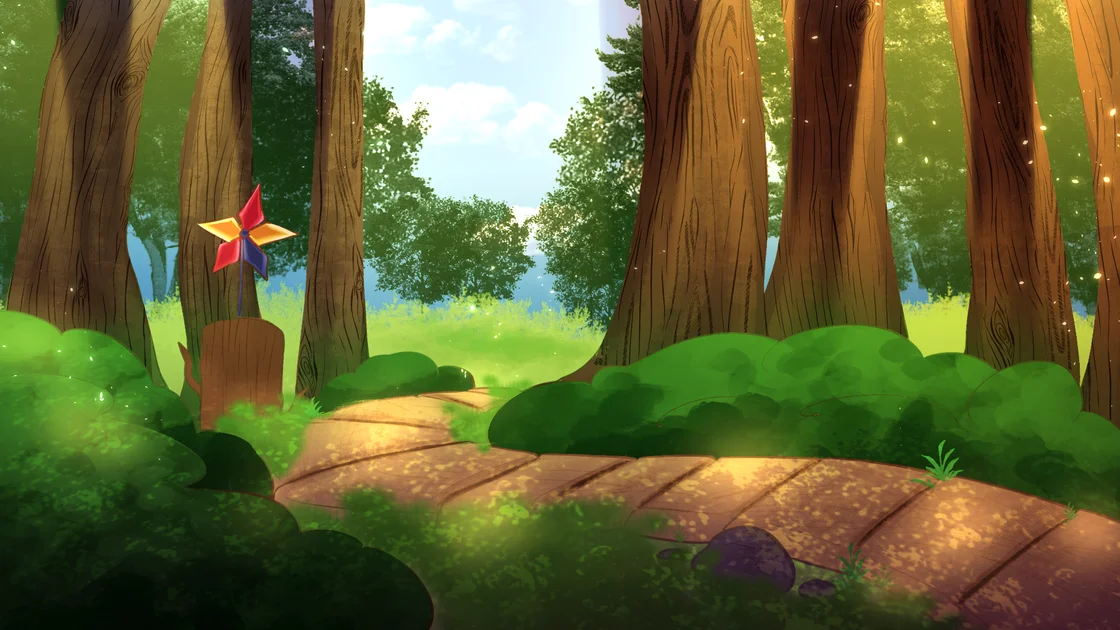
Keep a save before the forest break
Your break leads into the encounters that decide the Day 1 report. Save before stepping outside so you can compare how encouraging, redirecting, or rejecting the attention changes the result.
Need an Automated Love Obsession Route Map?
Save before the forest break. Automated Love Obsession uses two later responses to choose the Day 1 report, while the interviews add context and optional dialogue. Open the guide for all four report combinations and the feedback to look for.
Open the Automated Love Obsession Day 1 report guideSee how your replies to Sun and Eclipse change the Day 1 report.
Follow Day 1 in Automated Love Obsession
- Chapter 1 · Briefing and introductions
Meet Levra, travel to the daycare, choose your name and pronouns, and watch the androids power on. There is no character-route selector at the start.
- Chapter 2 · Interview all three teachers
Visit Sun, Eclipse, then Moon. Choose “Ask more outside of your objectives” for optional topics and the exit option. Choose “Ask about his well-being” to hear about the virus and add later reflections. At the staff check-in, “Seems good so far” gives you more conversation with Maya and Asher, plus extra Asher interaction on the walk.
- Chapter 3 · Save, answer, then read the report
Take the forest break, respond to Sun, and later respond to Eclipse. Finish the walk and return home. The report is displayed after the final home scene; you do not type or submit it yourself.
Two Choices Decide Your Automated Love Obsession Report
First · Sun at the tree
Encourage, redirect, or set a boundary
You can do more of that inside. favors him. Choose You need to go back inside. or Personal space, please. to leave him unfavored for this report.
Then · Eclipse on the walk
Investigate his claim or stop the attention
What makes you say that? favors him. Choose The children are near. or Stop saying that. to leave him unfavored for this report.
Favor Sun only
- Sun response
- You can do more of that inside.
- Eclipse response
- The children are near. OR Stop saying that.
The report highlights Sun's S.R. column. Returning to the title menu gives you Sun's changed menu. This is the Sun-favored Day 1 result, rather than a completed romance route.
Favor Eclipse only
- Sun response
- You need to go back inside. OR Personal space, please.
- Eclipse response
- What makes you say that?
The report highlights Eclipse's S.S. column. Returning to the title menu gives you Eclipse's changed menu. Choose this combination to compare his attention with the Sun-favored result.
Favor both
- Sun response
- You can do more of that inside.
- Eclipse response
- What makes you say that?
Both the S.R. and S.S. columns light up. You have encouraged both encounters in this Demo; a complete True/Poly route is still a future addition.
Favor neither
- Sun response
- You need to go back inside. OR Personal space, please.
- Eclipse response
- The children are near. OR Stop saying that.
Neither of the first two columns lights up. Redirecting them to work or setting a firmer boundary both reach this report. Moon's final scene still happens; leaving these columns empty does not select his route.
Use the report columns to confirm your Automated Love Obsession result: S.R. for Sun, S.S. for Eclipse, and L.M. for Moon. The third column stays empty in this Demo. Moon's home scene happens across these outcomes; it is not a reward for favoring neither of the others. These are four Day 1 reports, with the complete routes still to come.
Is Automated Love Obsession Worth Playing?
- Choose Automated Love Obsession if you enjoy android romance, optional lore questions, and the tension of someone sounding affectionate while ignoring your boundaries.
- Try Automated Love Obsession when you want roughly an hour of story, expressive animated encounters, and a short replay to compare how your Day 1 report changes.
- Expect a reading-focused visual novel game. You choose replies and observe what follows; you are not repairing robots, typing diagnostic reports, or clearing daycare management levels.
- Wait for more Automated Love Obsession content if your priority is a complete Moon route, a finished True/Poly route, or a story that resolves the testing assignment. The current Demo ends after its first day.
- Automated Love Obsession is marked 13+ and includes stalking, disturbing jumpscares, flashing, glitching, light suggestive themes, and swearing. Choose it when you want that horror edge alongside the romance.
Your First Automated Love Obsession Goal: Finish Day 1
Start Automated Love Obsession, choose your name and pronouns, and ask each teacher the questions that interest you. If you want to dig into the malfunction mystery, open the extra questions and ask about well-being before moving on.
Save before the forest break, answer the later encounters in a way that fits your tester, and read the report at home. Return to Automated Love Obsession with that save when you want another result, or open Gallery to revisit the animations you unlocked.
Automated Love Obsession FAQ
Where can I play Automated Love Obsession online for free?
Press Play Now on this page to play Automated Love Obsession free in your browser. Choose Start for a new run or Load to continue a save. No account is required for this browser visual novel game.
How much of Automated Love Obsession can I play now?
Automated Love Obsession currently offers Day 1 across three chapters, taking about an hour. You meet all three androids and reach one of four end-of-day reports. The remaining days and complete Sun, Eclipse, Moon, and True/Poly routes are still future content.
How do I leave an interview in Automated Love Obsession?
In Automated Love Obsession, choose “Ask more outside of your objectives” to open the extra-question menu. Select “Move on to the next android” for the first two teachers, or “Take a break” after the last one. Answering every standard question does not automatically close the interview.
How do I get different endings in Automated Love Obsession?
The current Automated Love Obsession outcomes are Day 1 reports. Your response to Sun in the forest and to Eclipse later decides whether the report favors Sun, Eclipse, both, or neither. Save before those encounters and open the report guide below the character sections for the exact choice combinations.
Can I get a Moon ending in Automated Love Obsession?
Moon appears in Automated Love Obsession and has an interview, animated scenes, and a final appearance at home. The current Demo has no separate Moon-favored report or completed Moon route. Favoring neither of the other androids does not unlock one.
Does Automated Love Obsession have affection or instability meters?
Automated Love Obsession shows report columns at the end of Day 1. During the story, read the responses and visual changes rather than looking for an adjustable affection or instability dashboard. The dark interface changes happen at set scenes; the two late dialogue choices determine the report combination.
Do I need to write reports or repair robots in Automated Love Obsession?
No. Your character observes the androids and prepares a report as part of Automated Love Obsession's story. You advance dialogue and choose replies; the end-of-day report is displayed for you. There is no free-typing report editor, repair puzzle, or timed daycare simulation in this Demo.
How do I unlock the Automated Love Obsession Gallery?
Automated Love Obsession adds gallery items as you reach the corresponding animated scenes. Watch for “New gallery item acquired!”, then open Gallery from the menu. It has 12 entries. The Day 1 scenes can all be encountered in one complete run, without collecting all four report outcomes.
Why can I not enter my name in Automated Love Obsession?
Click inside the Automated Love Obsession player so it has keyboard focus, type your name, and press Enter. If input still does not respond, try Firefox. Certain names trigger a joke and ask you to choose again; enter a different name to continue.
Is Automated Love Obsession suitable for me?
Automated Love Obsession is a 13+ horror romance visual novel game with obsessive behaviour, stalking, disturbing jumpscares, uncanny imagery, flashing, glitching, light suggestive themes, and casual swearing. Expect an unfinished story and unsettling attention, even when the daycare looks cheerful.
Is Automated Love Obsession a FNAF fan game?
Automated Love Obsession is an original visual novel with its own setting and story. You can meet its teachers without knowing FNAF lore; follow the Celestial Droids assignment and the interviews to understand what is happening.
Where can I download Automated Love Obsession?
Use Download Automated Love Obsession on this page for Windows, macOS, Linux, and Android options. Back up browser saves separately. Future major story updates are planned for desktop, so do not assume the browser or Android Demo will receive the same expansion.
More Horror Games
- The Freak Circus — Play The Freak Circus online free. A dark yandere romance visual novel — Pierrot and Harlequin compete for you while the Circus of Horrors is in town.
- 14 Days With You — Play 14 Days With You online free. A yandere romance horror visual novel — Ren keeps you safe in Corland Bay, or so it seems. Multiple endings every Day.
- Doki Doki Literature Club — Play Doki Doki Literature Club online free. Join the club and write poems for Sayori, Natsuki, Yuri and Monika — a dating sim that isn't what it seems.
- CreepyDates CHAPTER 4 — Play CreepyDates CHAPTER 4 free online in your browser. Continue your save, explore Ben's room, follow affection, and get chapter unlock and download help.
- Knee Deep — Play Knee Deep online free. A yandere dating sim at Pebblestone University — three love interests, creepy social media posts, and finals to survive.
- The False Sun — Play The False Sun online. Choose your responses, use save and load to try new paths, and uncover 20 endings in this 18+ horror romance visual novel.
- Fear Me: Jeff the Killer's Dating Sim — Play Fear Me: Jeff the Killer's Dating Sim online free. Survive a creepypasta killer's attention at your video store job — 9 endings, 40 CGs, satire included.
- How to Date an Entity — Play How to Date an Entity online free. A short horror dating sim — keep the Interest Meter up, survive a date with a tall entity, and find all 10 endings.